
SwiftUI is Not React
I kept looking for useState. There is no useState.
When I started building Renala, I had been writing React for years. Declarative UI, component state, a virtual DOM that diffs changes and updates the real DOM. I understood this system. I thought SwiftUI would be a variant of it, adapted to Swift syntax. Components would be Views, hooks would be property wrappers, the reconciler would be something Apple had written instead of the React team.
I was right about the surface. I was wrong about everything that mattered.
The React mental model
The React mental model works like this: a component is a function. It takes props, it reads some local state, it returns a description of UI. When state changes, the component function runs again. The new output is compared to the old output. The DOM gets patched.
You manage this explicitly. You call useState to create a piece of local state and a setter. You call useEffect to handle side effects, subscriptions, data fetching. You call useMemo to avoid recomputing expensive values. The framework gives you primitives, and you wire them together.
SwiftUI does not work this way.
In SwiftUI, a View is a struct. Not a class, not a function: a struct. If you have a JavaScript background: structs are value types. When you pass a struct, you pass a copy, not a reference. There is no shared identity, no persistent object. SwiftUI creates and discards View structs freely, like stack frames. It has a body property that returns some other View. SwiftUI calls body when it needs to know what the view looks like. That is all a View is. You are not supposed to store state in something that ephemeral.
State lives somewhere else.
@Observable
The modern answer is @Observable. Think of a Python or TypeScript decorator: it is a compile-time annotation that rewrites a class so SwiftUI can track which properties a view actually reads. When a tracked property changes, SwiftUI re-evaluates exactly the views that read it. Not the parent. Not the siblings. Just the views that touched that specific property.
No subscription calls. No dependency arrays. No cleanup. No stale closure at 2am. You mark a class with @Observable, and the tracking is automatic. The WWDC 2023 session Discover Observation in SwiftUI covers the mechanism in depth.
@Observable @MainActor
final class ScanViewModel {
    var isScanning: Bool = false
    var scannedBytes: Int64 = 0
    var currentRoot: FileNode? = nil
}
A View that reads scanViewModel.isScanning will re-render when isScanning changes. A View that reads only scannedBytes will re-render when scannedBytes changes, but not when currentRoot changes. The granularity is per-property, automatically.
This is cleaner than useSelector in Redux or React’s memo with dependency arrays. The framework does the bookkeeping.
MVVM
The architecture I settled on is MVVM: Model, ViewModel, View. If you have used Redux or MobX, the shape is familiar. In Renala’s terms:
- The Model is
FileNode,ScanResult,VolumeInfo. Pure data. No UI dependencies. - The ViewModel is
ScanViewModelandTreemapViewModel:@Observable,@MainActor. They hold application state and expose it to views. They run scans, compute layouts, handle user actions. - The View reads from the ViewModel and sends actions back.
graph LR
    M["Model<br/>FileNode / ScanResult"] -->|read by| VM["ViewModel<br/>@Observable @MainActor"]
    VM -->|"@Observable tracking"| V["View<br/>SwiftUI"]
    V -->|user action| VM
    VM -->|updates| M
    V -->|Canvas draw| C["TreemapCanvasView<br/>immediate mode"]
The binding is automatic. It reads ViewModel properties in body, SwiftUI records the access, and when those properties change, the view is re-rendered. No wiring. No useEffect to clean up. No stale closure bugs.
Unlike JavaScript, Swift code can run on multiple threads simultaneously. @MainActor is the compiler-enforced contract that says: all code in this class runs on the UI thread, where SwiftUI expects to read state. It is not optional. If you try to mutate ViewModel state from a background thread, the compiler rejects it.
There is a cost. Any background work (scanning, hashing, computing layouts) must explicitly hand off to @MainActor to update state. The overhead is small; the correctness guarantee is complete.
The re-render trap
The React mental model actively misleads you on performance.
In React, you think in terms of component boundaries and memo. A component re-renders if its props change. You use React.memo or useMemo to prevent unnecessary re-renders. The virtual DOM diff is cheap, but it is not free, and with thousands of elements you start to feel it.
In SwiftUI, the diff happens at the struct level. Views are structs. SwiftUI compares the old struct to the new struct. Equatable in Swift is a protocol that means “this type supports equality comparison.” Think of it as a type declaring it can be checked with ===. If two View structs are equal, the subtree is skipped. This is usually fast.
But there is a trap. In Swift, as in JavaScript, a closure is a function value you can pass around and store, like an arrow function you’d pass as an onClick prop. If you pass a closure to a child View as a parameter, the closure is not Equatable. Functions have no concept of equality: SwiftUI cannot tell whether {'{'{'}'} vm.doThing() {'}'} from this render is the same as {'{'{'}'} vm.doThing() {'}'} from the last one. It assumes they differ. The child re-renders every time.
I hit this early on with context menus and sidebar rows. The fix is simple: pass the ViewModel directly, not closures derived from it. The ViewModel is a reference type (classes in Swift, like objects in JavaScript, are passed by reference). Two references to the same ViewModel instance are always equal: same memory address, same object. SwiftUI knows it did not change.
This is not documented in any tutorial I found. I discovered it the way you discover most performance bugs: by wondering why everything was so slow. The WWDC 2021 session Demystify SwiftUI explains the diffing mechanism in detail and is the best reference for understanding what actually triggers a re-render.
The sidebar: flat list, not recursive tree
The sidebar displays the file tree. The obvious implementation is a recursive DisclosureGroup: each directory expands to show its children, which may themselves be directories with their own DisclosureGroup.
That is also the wrong implementation. A recursive DisclosureGroup for a tree with 5.2 million nodes creates a deeply nested view hierarchy. SwiftUI cannot render it lazily. The entire tree gets instantiated at once, and the app stops being an app.
The fix: flatten the tree. A flat List with ForEach over a pre-computed array of visible nodes. The array contains only the nodes that should be visible given the current expansion state. Expanding a directory appends its children at the right index. Collapsing removes them. The List renders lazily: only the rows in the visible viewport become SwiftUI views. The rest do not exist.
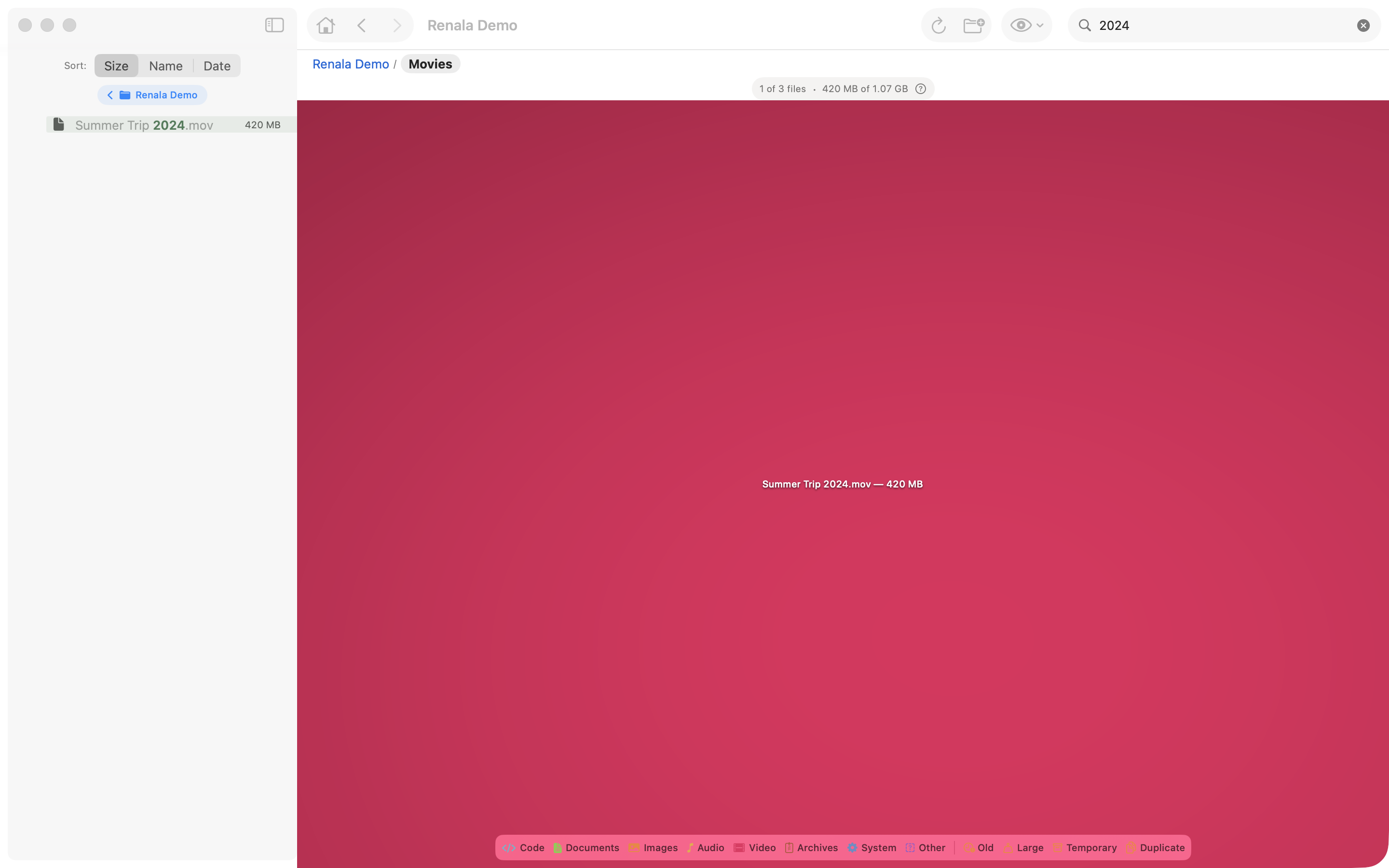
List, not a recursive tree. During search, the visible array is filtered to matching nodes and all their ancestors. Clearing the search restores the previous expansion state.Canvas: immediate mode inside a declarative framework
The treemap presented a different problem entirely.
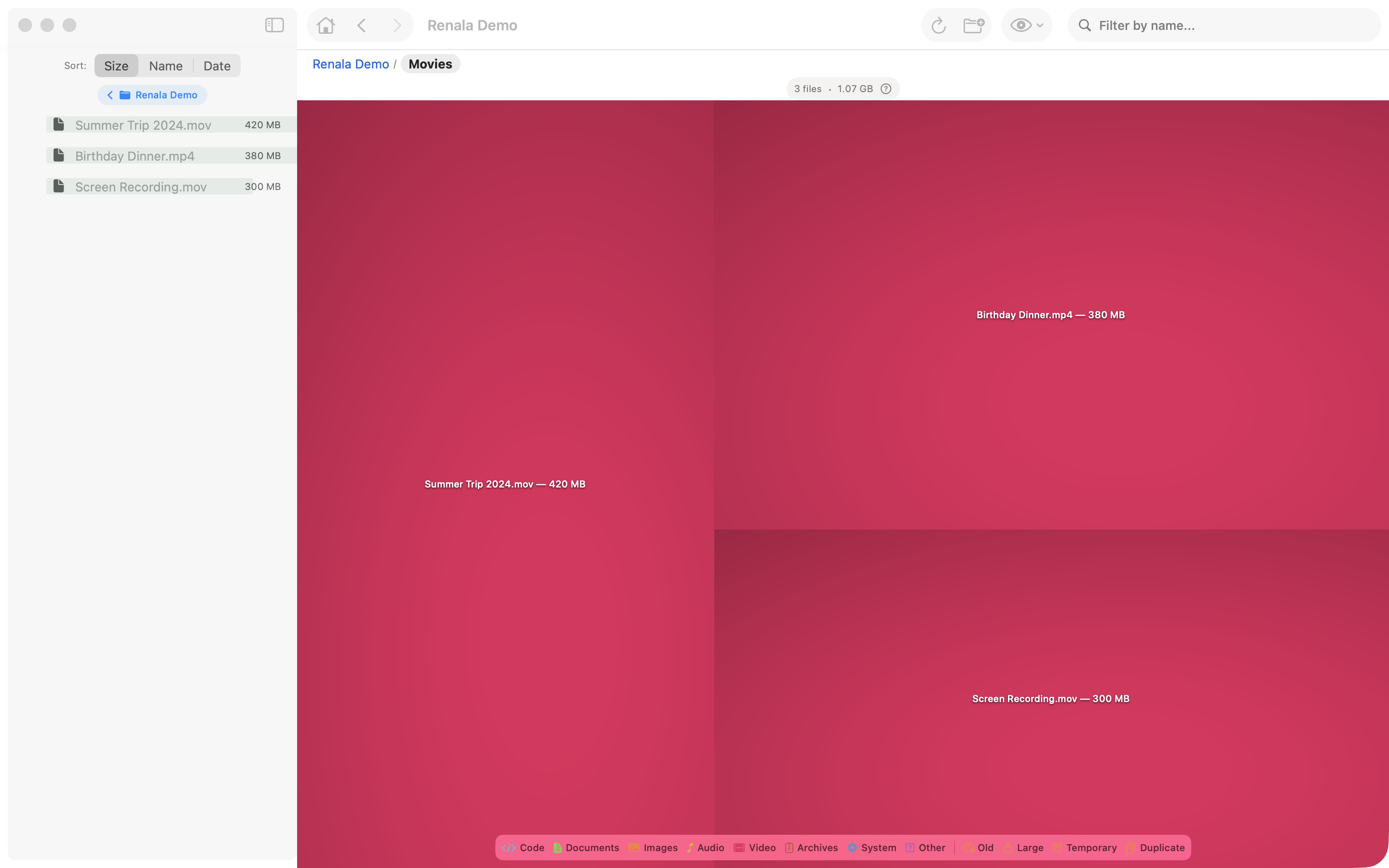
A full disk scan produces tens of thousands of visible rectangles. Model each one as a SwiftUI View and you have tens of thousands of nodes in the view hierarchy. Every layout pass diffs all of them. Every property change diffs all of them. The app becomes unusable.
SwiftUI’s answer is Canvas. Think of the browser’s <canvas> element, not the DOM. You issue drawing commands that paint pixels directly. There is no element tree, no diffing, no retained structure: just paint calls that execute and are forgotten. Inside the Canvas closure, you use a GraphicsContext to draw paths, images, text. These are not SwiftUI Views. They are drawing commands. They do not exist in the view hierarchy. They are just pixels.
Canvas { context, size in
    for rect in treemapViewModel.rects {
        context.draw(rect.cachedImage, in: rect.frame)
    }
}
The actual implementation composites four layers in a single pass:
One Canvas node in the hierarchy. All drawing in a single pass. SwiftUI handles the compositing.
The Canvas API does have one constraint worth knowing: closures passed to Canvas cannot read @Environment. (@Environment is SwiftUI’s equivalent of React Context: values injected high in the view tree and consumed anywhere below it.) SwiftUI tracks environment reads via the view tree, and Canvas closures are not part of the view tree. If you need an environment value inside the canvas closure, capture it as a local variable before entering the closure.
There is an accessibility cost. Standard SwiftUI views participate in the accessibility tree automatically: a Button gets a VoiceOver label, a List row can be navigated with keyboard focus. A Canvas is an opaque bitmap. The accessibility system sees nothing inside it. Adding VoiceOver support for the treemap required building a parallel representation of the visible rectangles that the screen reader can traverse, plus explicit accessibilityElement modifiers for each one. Accessibility on immediate-mode drawing surfaces is always manual work. Budget for it from the start. “We’ll add accessibility later” is the “we’ll write tests later” of UI development.
Navigation: the platform decides
Towards the end of the project, a friend tested the app. He is a graphic designer, careful about how things behave, and he left detailed written feedback. Two comments went directly to the navigation model.
The first: “When you go into the tree and click on a file, you lose your bearings and the tree disappears. You have to click on the row to get back. Not great.” The second: “Why put an arrow in the breadcrumb if you can’t click on it? A slash or nothing would be less confusing.”
Both were correct. The tree was collapsing in a way that felt disorienting. The breadcrumb had a visual affordance that suggested interaction but did not deliver it. These are not framework problems. They are design problems that only surface when someone who is not the author uses the app.
That feedback produced two changes: the zoom navigation was revised so the context is preserved when you navigate into a file, and the non-interactive breadcrumb arrow was removed. The keyboard navigation design followed the same logic: arrow keys to move through the tree, Backspace to go up, Spacebar for Quick Look. The navigation model now maps to what the platform actually offers, not to what a first-time user might expect from a phone.
Steve Krug’s principle from Don’t Make Me Think is relevant here: every question mark in a user’s head is friction. A breadcrumb arrow that does not respond to a click is a question mark. A tree that vanishes when you select a file is a question mark. The fix in both cases was not to answer the question but to remove it.
SwiftUI on macOS is not SwiftUI on iOS. The framework is the same; the platform expectations are different.
Going further
WWDC sessions (free, official):
- Discover Observation in SwiftUI: WWDC 2023. The definitive introduction to
@Observableand how it replacesObservableObject. - Demystify SwiftUI: WWDC 2021. How SwiftUI decides what to re-render and what to skip. Essential viewing before you start profiling performance.
- Add rich graphics to your SwiftUI app: WWDC 2021. Introduces the
CanvasAPI with worked examples. - SwiftUI on iPad: Organize your interface: WWDC 2022. Navigation patterns for non-phone platforms. Relevant if you are building for macOS or iPad.
Written reference:
- SwiftUI documentation: Apple’s official reference. The
Canvas,@Observable, andNavigationStackpages are particularly useful. - Hacking with Swift: SwiftUI: Paul Hudson’s practical guide. Covers most SwiftUI APIs with short focused examples. Good for pattern lookup.
The treemap rendering pipeline, including the Lambert shading that makes the rectangles look three-dimensional, is covered in the next post.